
How to make your own font

If you know me then you know that I LOVE Fonts! I constantly look for new fonts to add to my collection and to use, and I am always checking Creative Market for new font bundles and typefaces. If you'd like to see my favourite fonts, then you can check them out in the relevant post I've written here.
But how cool would it be if you could make your OWN font? And what if I told you that it takes only 3 to 4 easy steps to create your masterpiece?
Oh, yes it's true! As I was searching the other day, I came across this website called MyScriptFont.com where you can create a font from your handwriting. The process is quite straight forward.
Once you visit the website, then you have to download a template. You can choose between a PDF or PNG format. Then you have to print it, so that you can start writing your letters on it.
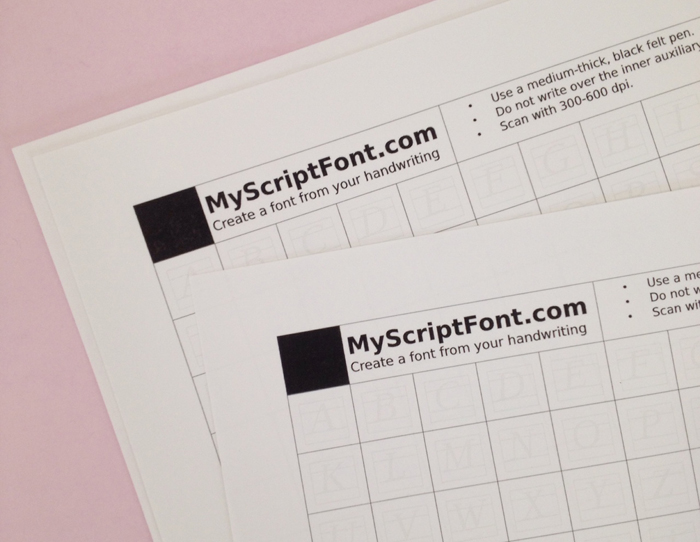
You fill in the capital letters, lower case, numbers and punctuation. There are also optional letters to fill in for languages like german, french etc. that have different punctuation on certain letters.

Make sure that your letters touch the bottom inside line like my 'e' and they don't go over it like my 'o', if you want your letters to be on a straight line when you type.

If you don't mind or you want an uneven type of font then you don't have to pay attention to that line. However, your letters should not go out of the little box or touch the sides. Make sure you're using a medium-thick black pen so that you get the desired result. I tried it with a thinner tip pen, and the letters didn't come out as vivid as I wanted. Of course you can try different things and different ways until you get what you want in the end.

Once you are satisfied with the result, then you have to scan the template and upload the file on the website. At this stage you also get to name your font (cool!) and choose a TTF or OTF format. (Of course I named my first font 'Christina' .... how creative!!!) Once you've done all this, then you click start and wait for a few seconds. And Voilà! Your font is ready to be installed in your computer!
Go to Control Panel > Appearance and Personalization > Fonts
Copy / Paste your font there and you're good to go :)
So, say hello to my very first font!

I know it's not perfect but I think it's ok for a first try. I'm sure I'm going to be creating more fonts from now on!!!! :)
Then I had a brilliant idea! What if instead of letters I put in each square a doodle?

So, I just made some doodles in a new template form and followed the above steps like before. To my surprise it worked and I present to you christina77star's doodle font ;)
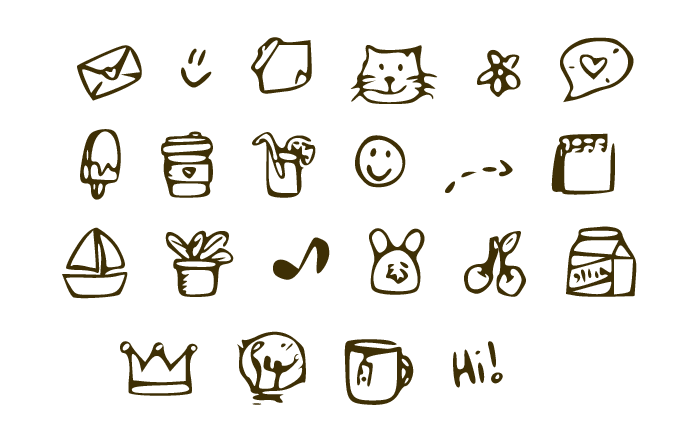
You can see that not all of the doodles came out as perfect as I'd like to. When making doodles you can certainly play with the thickness of the lines so that they come out clear, and stay away from little details cause they will not come out as good. But all in all I'm really excited with the result! If you'd like to download my doodle font please click here.
Hope I inspired you today with something new. If you create any new fonts I'd love to see them.


How to Bullet Journal when you don't have time?
I've had some similar reactions lately from people I know, as well as from people I met online, about bullet journaling and how time consuming it looks. They regarded that it takes too much effort and that it might not be convenient for people with limited time. Others also mentioned the fact that they are not as artistic or creative, and that they can't draw or doodle the way I do. Therefore, they thought that bullet journaling is not for them.
Taking a step back and looking at bullet journaling from their point of view, I realised that it does seem like a lot of work and that this could deter a lot of people from having a bullet journal. So, I decided to create this post to show you that you can still bullet journal even if you don't have the time or the artistic skills.
I'll start by saying that bullet journaling in it's core is the way it's shown in the official website. It really is very basic and you don't have to draw or create anything like that at all. All you need is a notebook and a pen. That's it.
However, if you still want to make your bullet journal look pretty and add more colour to it, there are a few simple ways to do it without spending hours over it or joining a drawing class :)
Stencils
Create shapes and doodles in minutes with stencils. You can find anything you want, from to-do lists, banners, cute icons or the days and months. The sky is the limit!

Left: Stencil x bullet journal
Right: Journal Stencil
Stickers
One of the quickest and easiest way to add colour and personality to your bullet journal is with stickers. You can find anything from coloured dots, bullet journal symbols and dates, to cute animals. Any shape or colour you want. You can have themed weeks or months, or you can use them to colour coordinate specific categories.

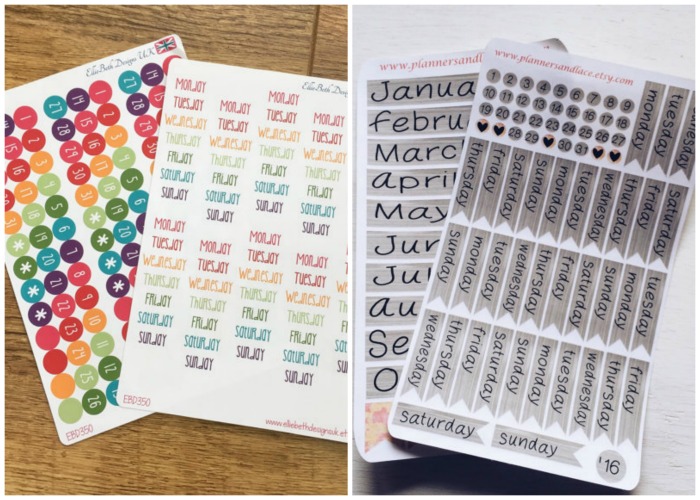
Left: EBD350 Days of the Week
Right: complete BULLET JOURNAL sticker set
Washi Tape
One of the easiest ways to add colour and patterns to your bullet journal is with washi tapes. You can find an amazing variety online and on Etsy.
You can use washi tape to decorate your pages (look here and here), create sections (here), or personalise and organise your journal (here).
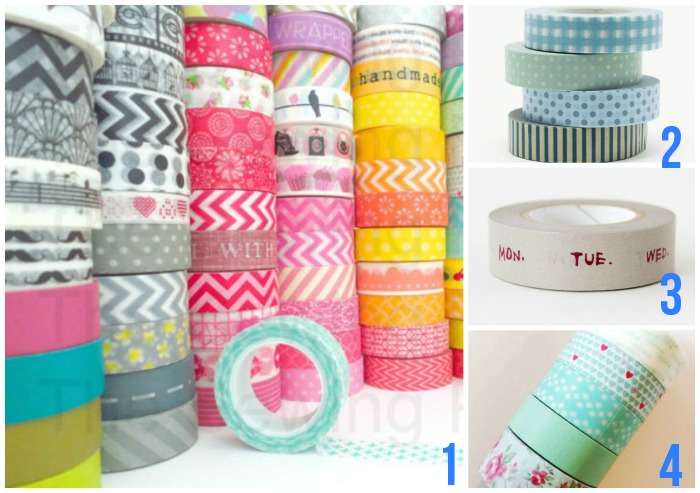
1 8 Whole Rolls of Assorted Washi Tapes
3 Grey Days of the Week Washi Tape
Find more ideas and inspiration on how to use all the above on Etsy and Amazon. Also you can follow me on Pinterest for more weekly and monthly spread ideas and collections.
Some more ways that can save you time while bullet journaling
-- Stick to one design
If you find a design or spread that works for you then stick to it and don't change it. For example, you don't have to change the design of your date header every day. You can have the same one for a week or a month!
--Pre-plan your spreads
During the month (or week) notice what works and what doesn't so that you know what things to adjust or add the next time. See how I adjusted my weekly spread in this post.
--Keep it Simple
If you don't have the time then don't choose complicated spreads. Just keep it simple. Like in the example below, you don't have to create an intricate drawing showing which books you want to read. You can just make a list and tick them off as you go.

--Minimalistic Approach
You can choose a minimalistic approach like Celine and create a set up for your bullet journal with black as your basic tint and one accent color for putting some extra focus on certain words or details.
--Use your time wisely
Plan ahead and create your weekly/monthly views during the weekend, for example, that you might have more spare time.
--Reference Pages
Create reference pages in your bullet journal with banner ideas, headings etc. That way you don't have to search every time to get inspired. You just choose one of the designs from your page. You can also create a Pinterest board with bullet journal ideas to get inspiration from time to time.
Bullet Journaling is a fun way to create you own calendar/journal. But it doesn't have to be complicated or time consuming. Give it a try and I guarantee that you're going to love it!


Leuchtturm1917 vs Moleskine

Bullet Journaling is a system that can be used on any type of notebooks. However, if you've been bullet journaling for a while, then you'll know that there are certain notebooks that are considered to be the favourites in the bullet journal community:

I've been wanting to try the Moleskine notebooks for a while now, so I decided to get a squared one to use separately for my blogging. In today's post I'm going to compare my Leuchtturm1917 to my new Moleskine to see the similarities and the differences between the two.
SIMILARITIES
- They both come in a variety of colours.
- Both brands offer a choice of hard and soft cover.

- You can also have a choice of plain, ruled, dotted or squared.
- Their pages have a very similar colour - a lovely cream shade.

- They have an expandable pocket at the back.
- Both have an elastic enclosure band.
- They are thread bound notebooks that open flat.
- They have acid free paper.
DIFFERENCES
The first difference is their price. You can get Leuchtturm1917 for €18.95 (here) and Moleskine for $12.91 (here)

There is a difference in size. My Leuchtturm1917 is an A5 size (14.5 x 21.5 cm) and the Moleskine's size is 13 x 21 cm. So, Leuchtturm1917 is slightly bigger.

Leuchtturm1917 has 249 pages which are also numbered, while the Moleskine has 240 pages and they're not.

Leuchtturm1917 comes with a blank table of contents while you have to create one in your Moleskine.

Leuchtturm1917 comes with 2 page markers while the Moleskine comes with one. Leuchtturm1917 also has 8 perforated and detachable sheets while Moleskine has none. Added to this, Leuchtturm1917 has ink proof paper which means that you very rarely get bleeding through the paper, but you can however get some ghosting. The Moleskine though has thinner pages which makes it unsuitable for fountain pens.

Lastly, the Leuchtturm1917 comes with stickers for labeling and archiving which come very handy, while the Moleskine doesn't.
* I've also made a very detailed post reviewing my Leuchtturm1917 which you can find here.
Very similar notebooks with a few differences that might make the difference for some people. Clearly, if you're using fountain pens the Moleskine is not for you. Or if you prefer to have already numbered pages and a table of contents, then again the Leuchtturm1917 is a better choice for you.
Me personally, I like both notebooks. I think they are very good quality and they are perfect for bullet journaling. However, my favourite one is definitely the Leuchtturm1917. The thickness of the pages and all the extras that it offers give it the top place for me.
Which notebook are you using for your bullet journaling? Have you tried any of the ones mentioned in the post? What do you think?


My Bullet Journal Planning Routine
Having lots of spreads and pages in your bullet journal that help you with your day to day planning can sometimes be a bit confusing or you might find that you forget to check a page at one point. I try to keep on top of everything I create in order to help me with my future planning, but making a list to make sure you don't forget anything is always a good idea ;)
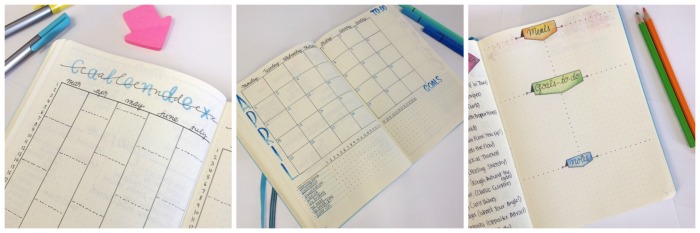
I break my planning into monthly, weekly and daily speads. That way I can keep track of any tasks, projects, appointments and so on. I also have a yearly spread with all my plans and goals for the current year, but I don't have to change that during the year.

Having lots of spreads and pages in your bullet journal that help you with your day to day planning can sometimes be a bit confusing or you might find that you forget to check a page at one point. I try to keep on top of everything I create in order to help me with my future planning, but making a list to make sure you don't forget anything is always a good idea ;)
I break my planning into monthly, weekly and daily speads. That way I can keep track of any tasks, projects, appointments and so on. I also have a yearly spread with all my plans and goals for the current year, but I don't have to change that during the year.

-- MONTHLY --
So, my planning starts in the beginning of every month. I take a look at the previous month to see what I have accomplished and where I am now. Then I take a look at my yearly goals to see what I want to achieve by the end of the year and what needs to be done to get there. Lastly, I take a look at my Level 10 Spread , adjust the levels if needed and again see what I want to change and improve in my life and ways to do that.

All the above help me to choose which goals I want to tackle this month. And then I set up my monthly spread in my bullet journal where I write everything down. I tend to change my spread from time to time. I look at the previous month and see what has worked and what hasn't and then make the necessary changes. Or I might be inspired by a spread I've seen on Pinterest for example, and I might want to give that a try.
-- WEEKLY --
Moving on to my weekly planning, I create steps for each of the monthly goals I mentioned above, and then spread them in the time frame of the 4 weeks ahead. I decide which steps need to be done first according to importance, and I create my weekly spread in my bullet journal.
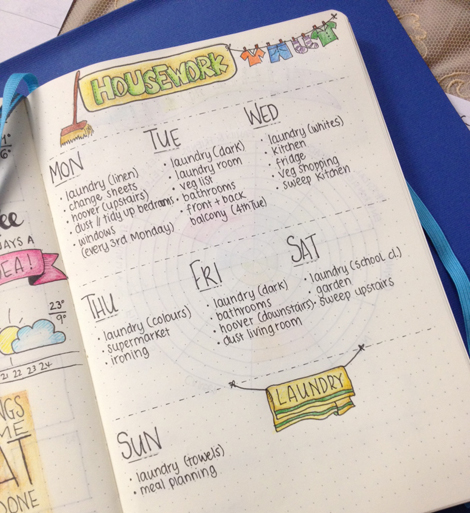
To help me with the reoccurring weekly tasks and so that I don't keep on repeating myself, I created a page for my housework routine and also a page for my blogging routine. That way I know what I have to do for these two categories every week, no matter what.
-- DAILY --
For my daily tasks I start from the night before. I fill in my trackers and my gratitude log , as well as any challenges that I might have done for the day. Then I go on to set up my new daily spread taking inspiration from my 'banner ideas' pages.


I've created a Free Printable for you with a few of the above daily date ideas.
Coming back to my planning, I then look at the day before and see if I have left any tasks that I haven't finished. If I do, then I migrate them to tomorrow's daily spread. The migrated tasks are marked then with an arrow and the cancelled tasks with an X.

Then I look at my Calendex to see if I have any appointments, bithdays etc., and I note them down as well. The next step is to take a look at my monthly and weekly spreads to see if I've noted something there that needs to be done specifically the next day. If not, then I will choose 1-2 steps from my goal setting list to add to my daily tasks. I also check my housework and blogging routine pages to see what I have to do for tomorrow.
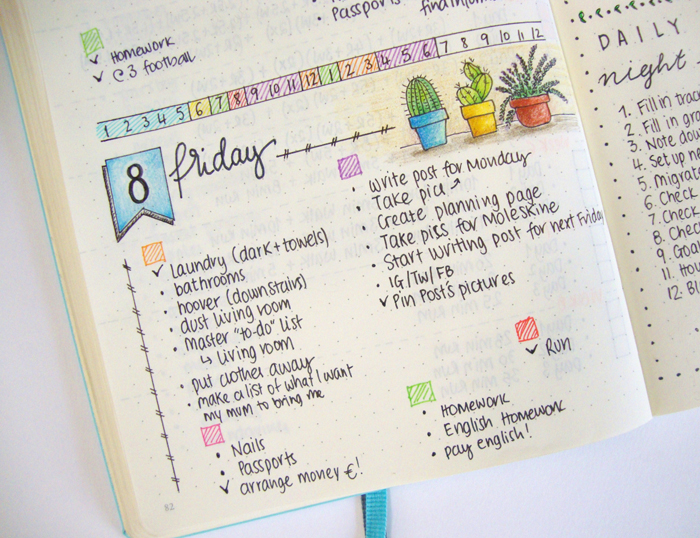
I've decided to put coloured boxes on top of the tasks. Each coloured box indicates a specific category (i.e. housework, kids, exercise, blogging etc.) and it also indicates the time I've allocated for each category on my time line. That way I see where I am during the day, and choose from that set of tasks what to do.
The following morning I'll review the tasks that need to be done that day, note the most important ones and add anything if needed. During the day I will tick off any tasks that are completed.

>> If you want to see my favourite Resources that I use every day with my Bullet Journal, click here to find out what I love to use.
So, that's my planning routine with my bullet journal. It might seem a lot of steps to some, but I'm so used to it, that it doesn't bother me at all. And it's not a lot of work anyway. I can honestly say that I haven't been more productive since starting this planning routine. How do you plan your day?

Weight Loss Plan with my Bullet Journal
No need to panic. Just take some deep breaths and open your bullet journal!
At least that's the way I've chosen to set myself a plan for success. So, this is how I used my bullet journal to create my diet and weight loss plan and to help myself focus.
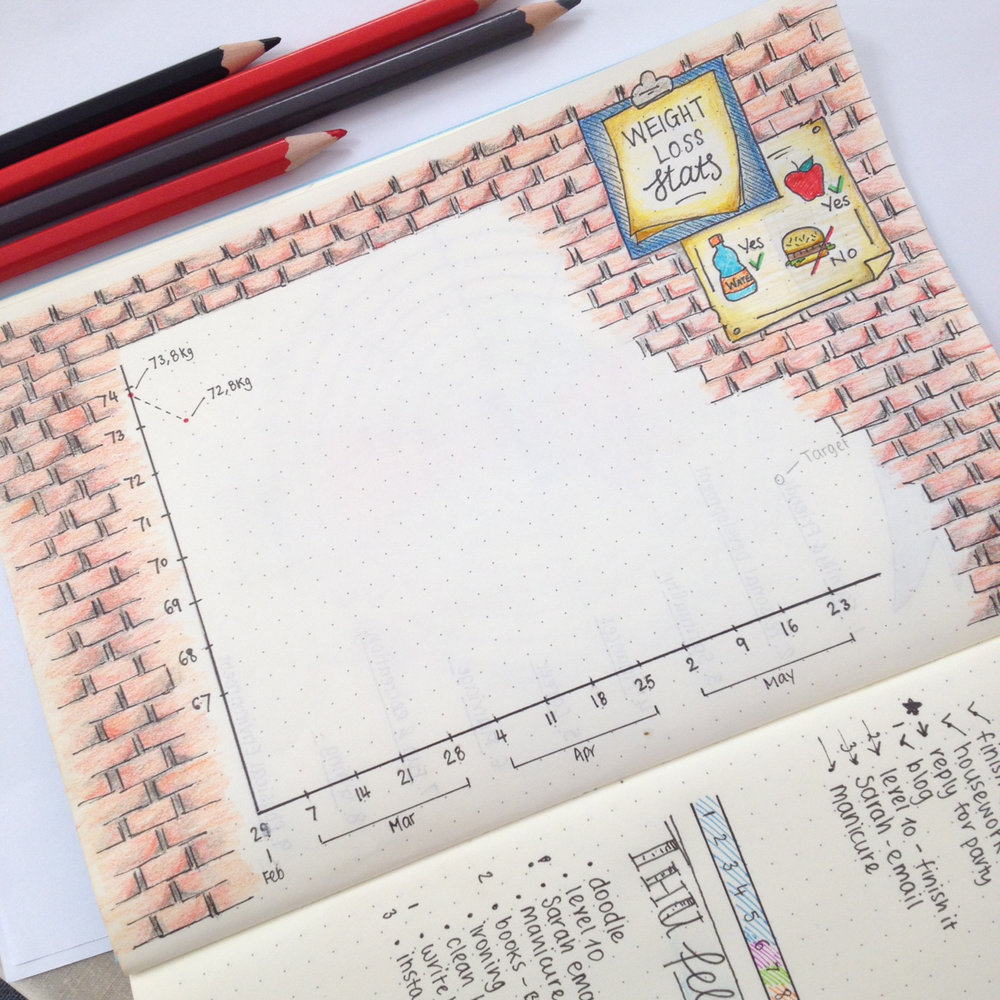
First I created a page in my bullet journal with the wall of fame (or shame... it depends on how well I do with this plan...). In this chart I record my weight after I weigh myself every Monday morning. I've set myself a target weight (which I noted down in pencil) and the date by which I'd like to reach it (just before my birthday). This way helps me record my progress and see how close I'm getting to my target.
Then I created a diet plan for me to follow. Nothing too restrictive, but still more organised and focused so that I don't get distracted. I wrote the food I can have under my 'yes' and the food I should avoid under my 'no'. I set a start date and I made sure to inform everyone about it (including you!). That way I'm more accountable and I'll make sure I'll follow the plan.
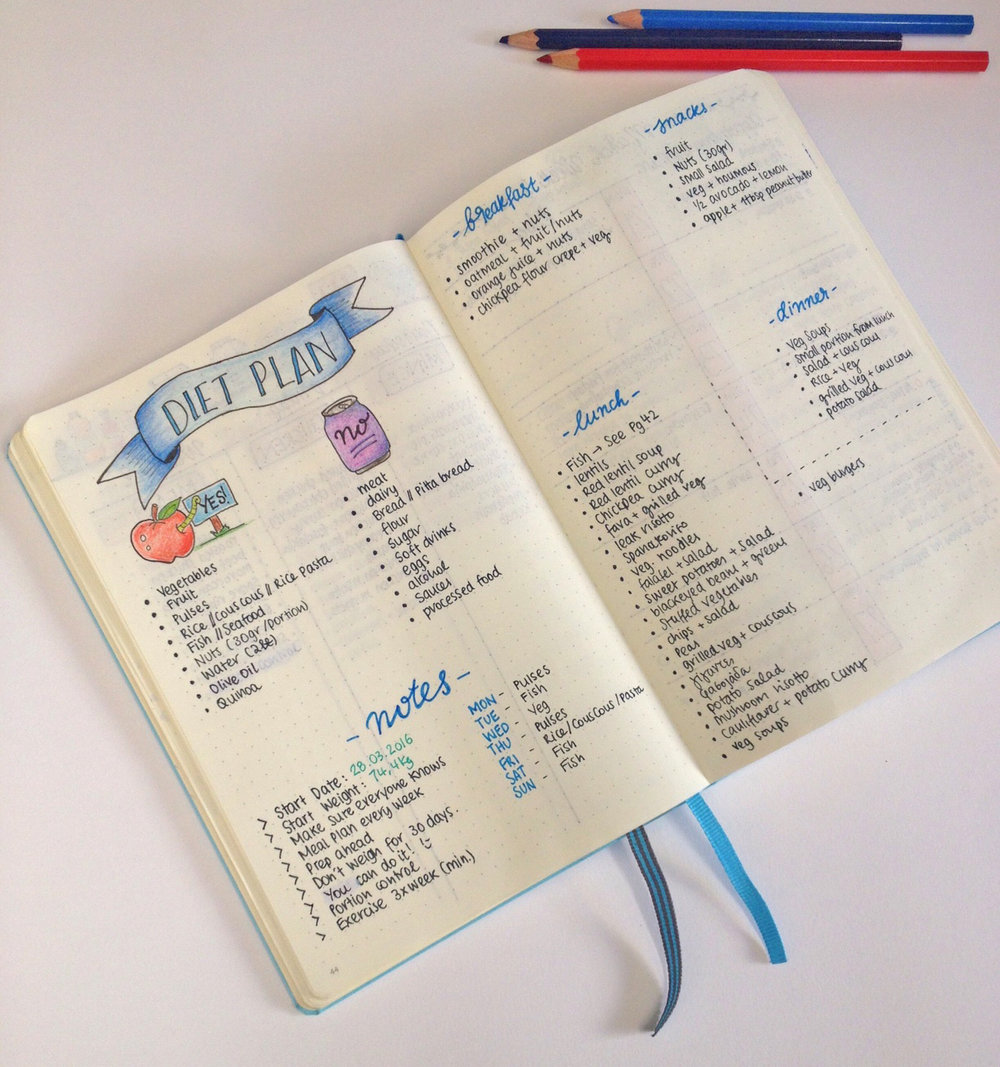
I separated my days in food categories so that I make life easier for me and I pre-cooked some meals to have ready, for those days that I just don't have time to cook. Basically I want to focus on portion control and eating right.
For anyone that is interested in my diet, I am a pescetarian - that means that I don't eat meat, I eat only fish. I'm also allergic to dairy, so that is out of my diet completely, and I also avoid eating anything containing flour (i.e. bread, pitta bread etc.). I only use chickpea flour or rice flour. So my diet is based on fruit, veg, nuts, pulses and fish.
On the second page I made a list of ideas as to what I can eat for breakfast, lunch, dinner as well as what I can snack on during the day. I keep updating this list with more ideas as I go along. I've also decided to not weigh myself for the first 30 days. I just don't want to get disheartened in the case I don't lose as much as I want to in the first weeks.
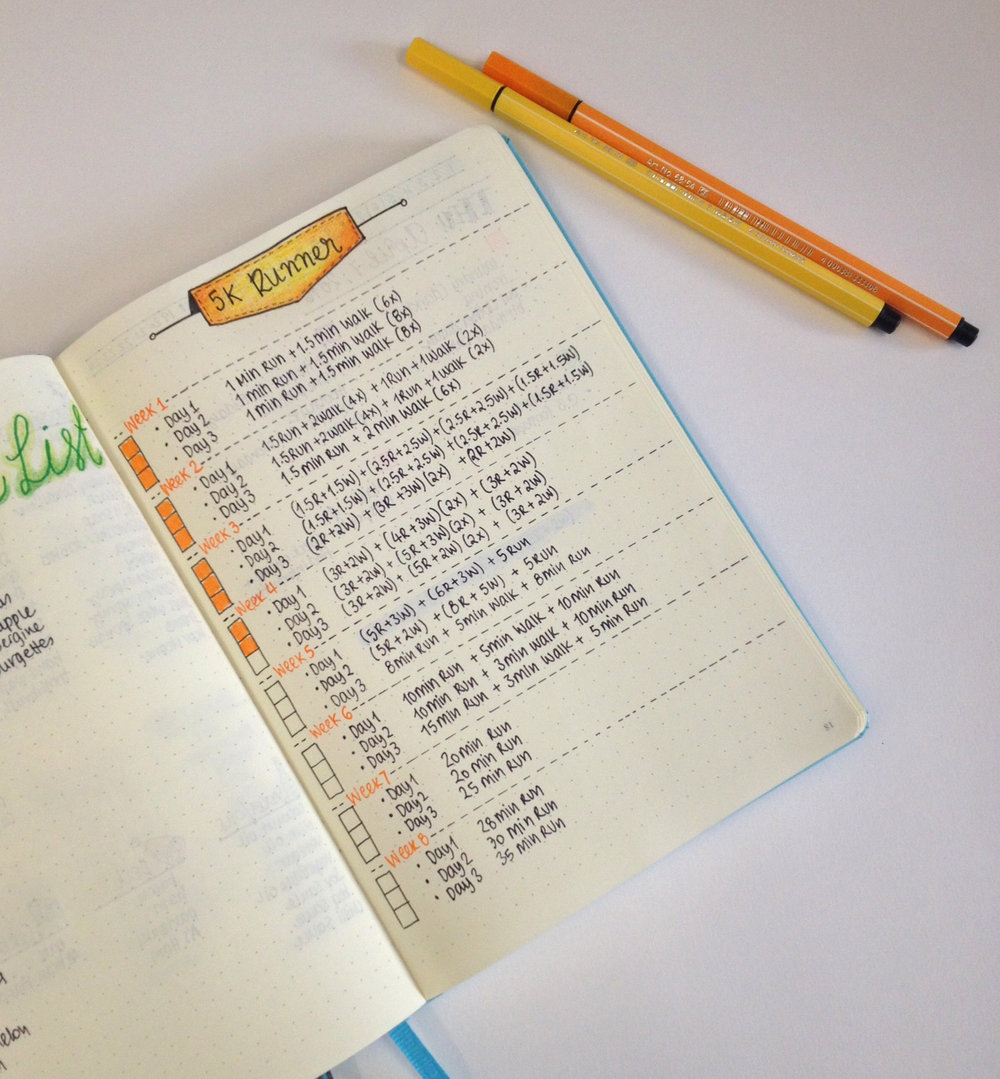
The last thing I included in my weight loss plan was my exercise routine. Exercise is a must for me when I try to lose weight, and running is my first choice. I used to run very regularly, almost every day for 5k. However, things happened and I got distracted and lazy, so it's been some time since I've run. I am using the app '5K Runner' and I'm working towards running 5k again! I'm in my 4th week and I love it! I am exercising 3 times a week minimum. On the weeks that I decide to do more, I might do some yoga or dance around using my Nintendo Wii and the 'Just Dance' disc.
If you notice that the dates on the above pages do not match, it's because I started running and recording my weight around the same time, while my proper diet plan I've started following it only recently.
Bullet Journal: My April Set Up
April is here and that means a brand new set up for my bullet journal. Exciting stuff!!! All through the month I've been seeing what works and what doesn't and also what other changes I want to make, so today I'll share with you my new layout which is slightly different from March.

April is here and that means a brand new set up for my bullet journal. Exciting stuff!!! All through the month I've been seeing what works and what doesn't and also what other changes I want to make, so today I'll share with you my new layout which is slightly different from March.
The first big difference is that I've decided to create
two separate monthly spreads
- one personal and one for my blog. I've been contemplating for some time now, as to whether I should have a different bullet journal for my blog or not. But I've decided to give it another month, and instead to try and separate the two with different spreads.
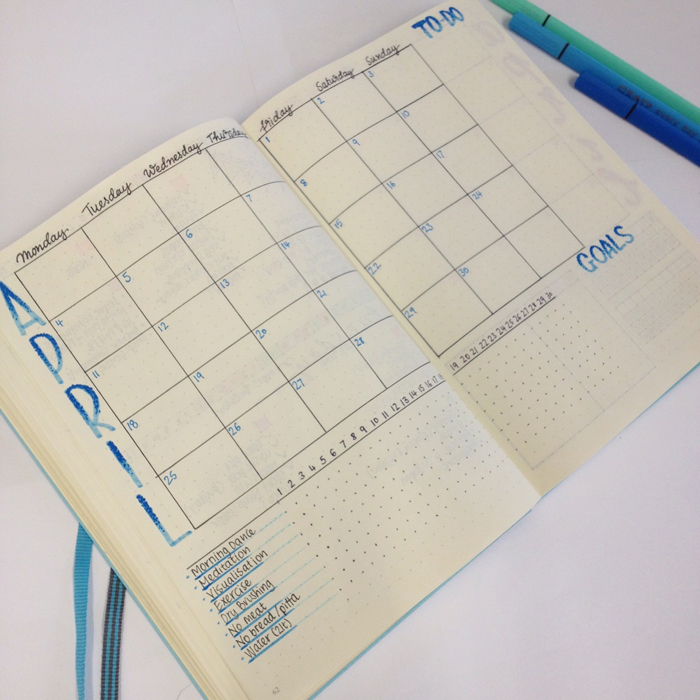
So the first one is my
personal monthly spread
. I tried to fit in as many things as possible in the two page layout. I needed the monthly view, because I like to take notes and plan ahead things, and this way I can see the whole month at once. Also, I moved the tracker on this page and I included only the personal things that I want to track this month. I realised that during March I wasn't going back to my tracker page every day, so I was forgetting to note down things. The end result is a quite empty tracker, even though I promise you I had been good most of the days. :) Lastly, I added to two sections for my goals and my to-dos for this month.
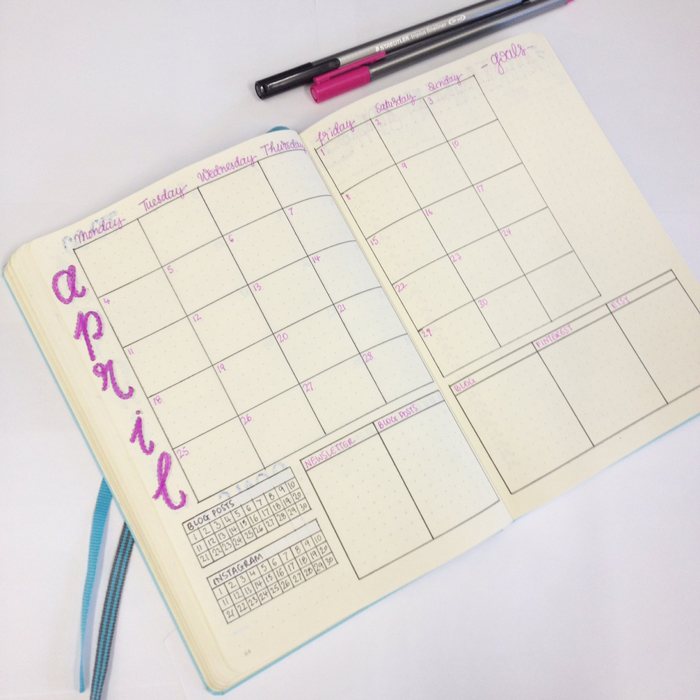
The second one is the
monthly spread for my blog
. I've changed up some things in this one. Again I like the monthly view because I can plan my blog posts, any seminars or webinars I want to attend and so on. I added two trackers on the bottom left corner, where I only track my blog posts and my instagram uploads - just to see how consistent I am this month. Next to those, I added 5 boxes separating the 5 key areas I want to focus the most this month:
, my blog posts, my blog/website, Pinterest and my Etsy store. I find that I focus and work better when I divide things in categories. Lastly, on the top right corner I added a column for my monthly goals for my blog.
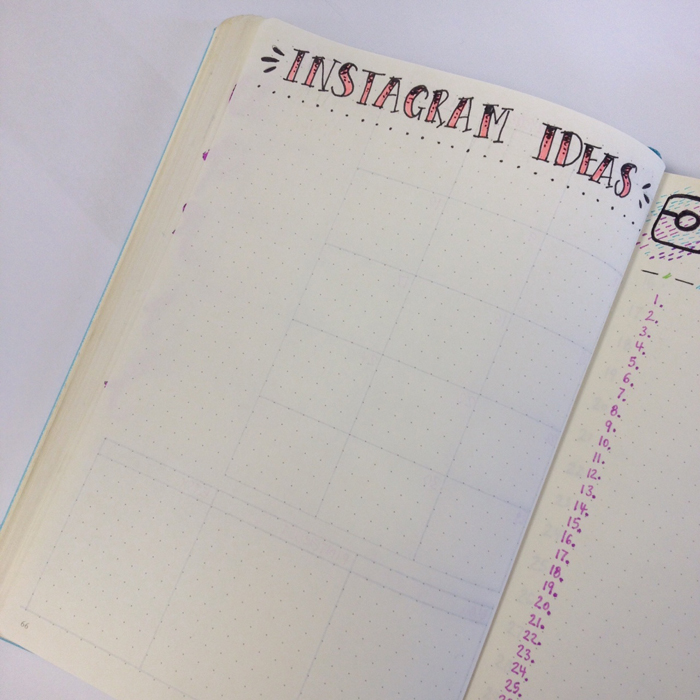
You've noticed that I didn't add any section for Instagram in my monthly spread. That is because Instagram has two whole pages to itself this month! One page is for all the ideas I have and I want to create for IG.
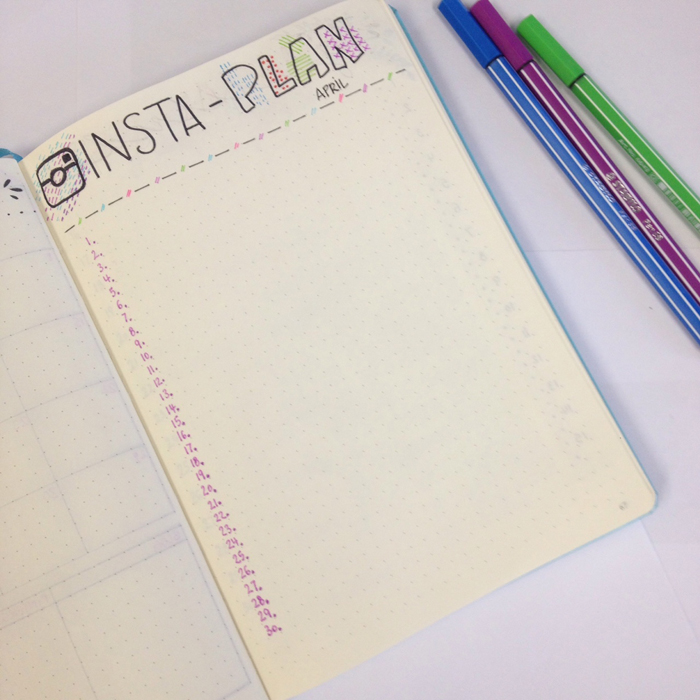
And the other one is called Insta-Plan where I plan and write what I want to upload for Instagram each day of the month. That way I can plan ahead and create all the things I want. I got this idea from Sarah from
and her guest post she wrote for
.
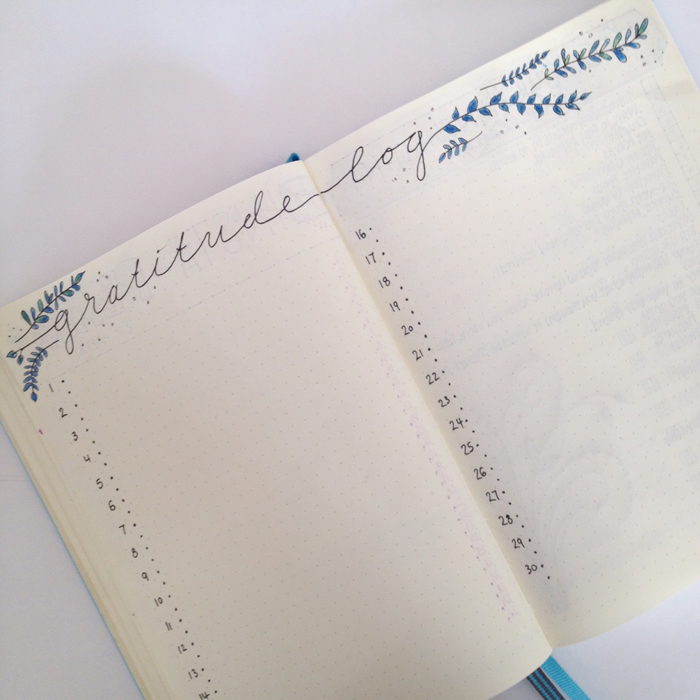
Next is my gratitude log which I love and of course I had to include in this month's set up as well. Tried to change the colours a bit and decided to write everything in blue this time.
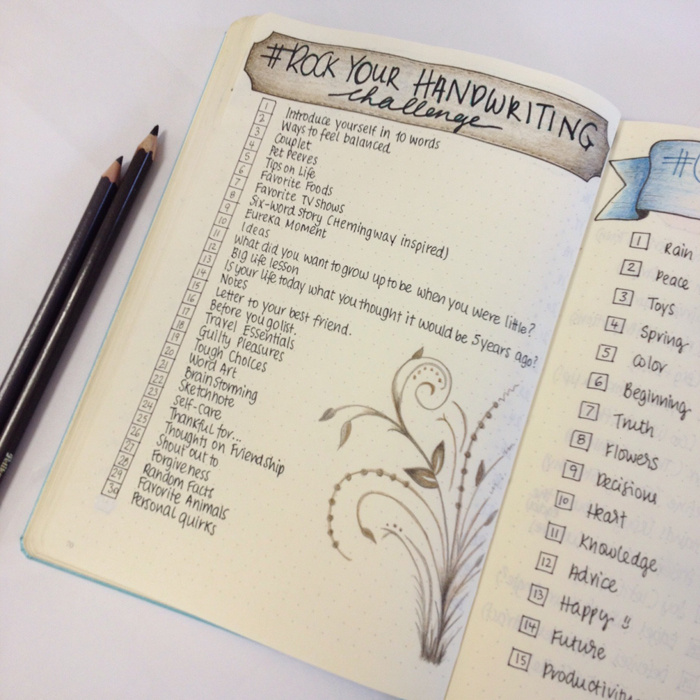
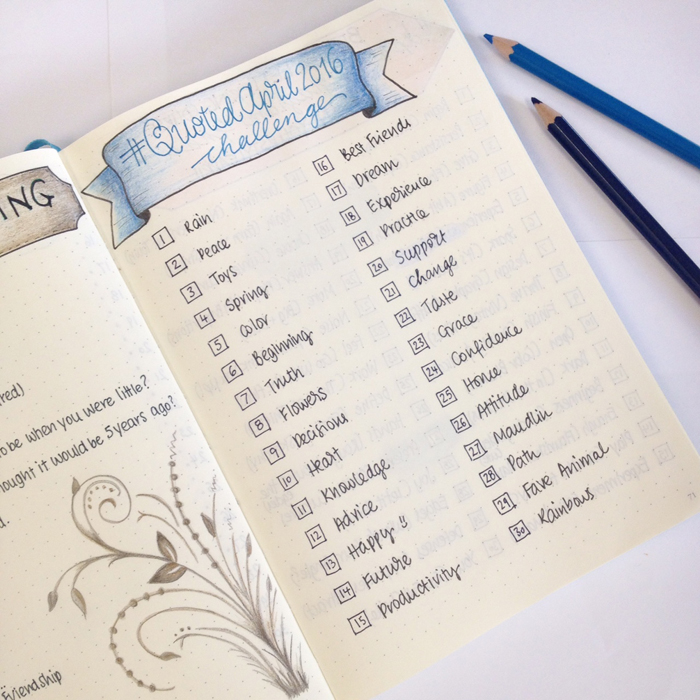
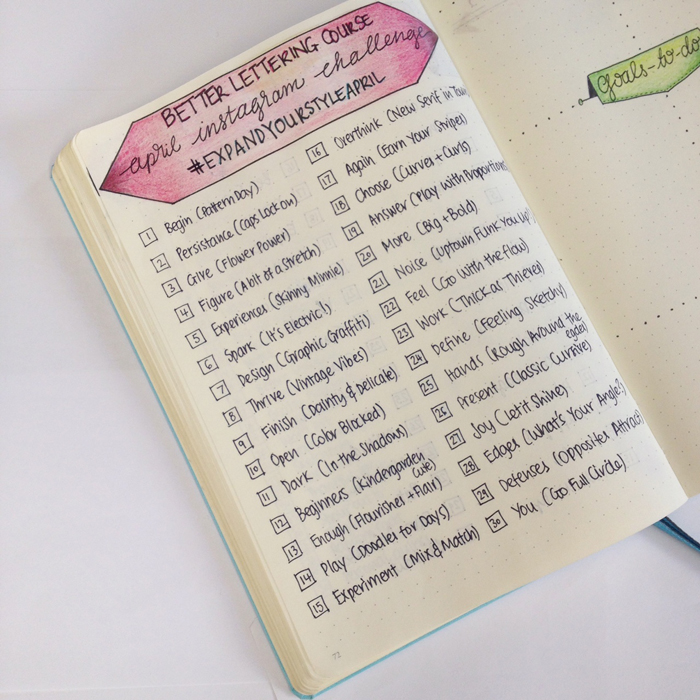
This month I decided to focus on my handwriting and my handlettering. I've ordered some
and I can't wait to start playing with them. And what better way to get inspired and keep up with it other than taking part in some challenges? I've chosen 3 challenges this month:
Rock Your Hand Writing
,
Quoted April 2016
and
Expand Your Style April
.
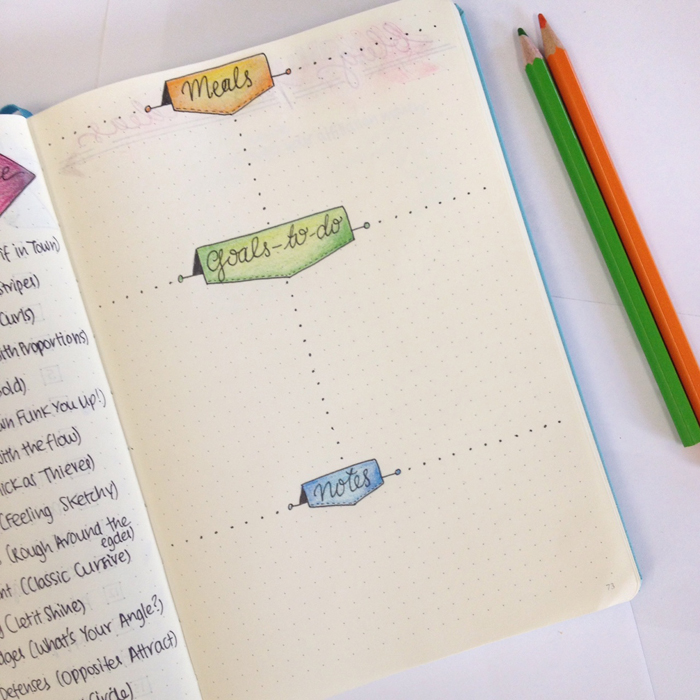
Lastly but not least is my weekly spread for the first week of April. It is essentially the same one like last week's, I just changed a bit the labels and the separation in order to add some colour.
So there you have it! This is my set up for April and I'm super excited for this month! I'm sure it's going to be full of adventure, nice surprises and excitement! Have you made any changes in your monthly set up?
One Month Bullet Journaling: What I've Learned
If you've been following my blog for a while now, you must have noticed that I have a small addiction as far as my bullet journal is concerned! Put it plainly, I'm obsessed!!!

If you've been following my blog for a while now, you must have noticed that I have a small addiction as far as my bullet journal is concerned! Put it plainly, I'm obsessed!!!
Before I go on, a quick reminder of what Bullet Journaling is, for anyone that doesn't know:
It's an analog system for the digital age. It helps record the past organise the present and plan for the future. It can be your to-do list, sketchbook, notebook and diary and all the above.

That's how the creator of this system, Ryder Carroll, describes it in his very informative website that you must visit to see all the information and the detailed videos that thoroughly explain his system.
For me, bullet journaling has been an amazing experience so far! I found that it made me be more organized and focused on the tasks that needed to be done. It makes me be more creative and I also find it to be very therapeutic. At the same time, it worsens my addiction for pens and stationery - if that was possible!!!
A PEAK INTO MY BULLET JOURNAL
I'll add here some pictures of a few of the pages that I've created in my bullet journal this month. I can't show everything, but I've made a selection of the ones that I haven't shown before and that I really like. :)
After the 3 index pages the first page you come up to is one of my favourites. It's my word of the year and my mission statement. I like to come back to it and remind myself what my focus should be on this year.

I also decided to add a 'Useful Numbers' page. Moving to a new country means learning everything from scratch, including all the emergency//useful numbers :) It puts my mind at ease to know that I have this page in my bullet journal, plus my kids are old enough now to know what to do in case of an emergency.

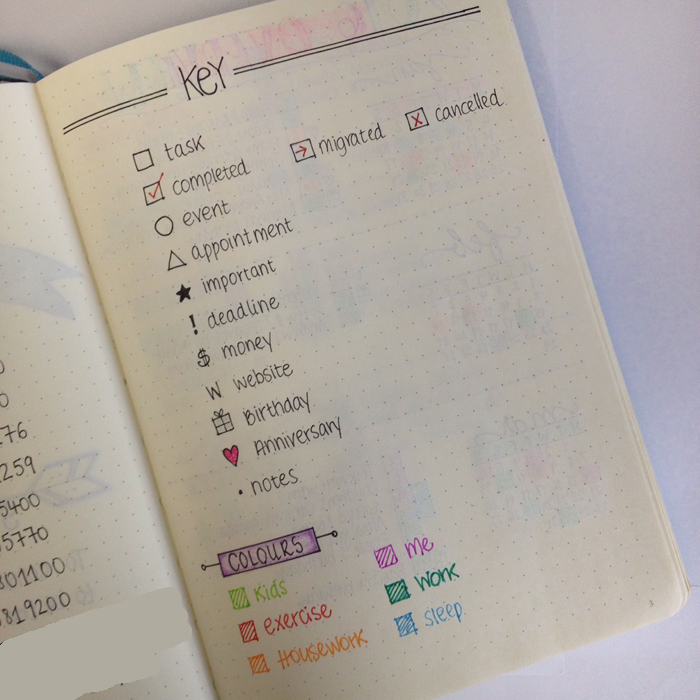
A key page is one of the basic pages that you're supposed to add in your bullet journal. It basically shows the symbols and the colours you use in your bullet journal to indicate different things. While I've been using it I realised that some things were not working for me. For example, now for the tasks I prefer to use a dot instead of the box, because I found that all those little boxes made my pages look too crowded. I've also changed some of the colours because they didn't work for what I wanted (especially the turquoise I used for 'work' was bleeding through the pages so it had to be changed ASAP!).
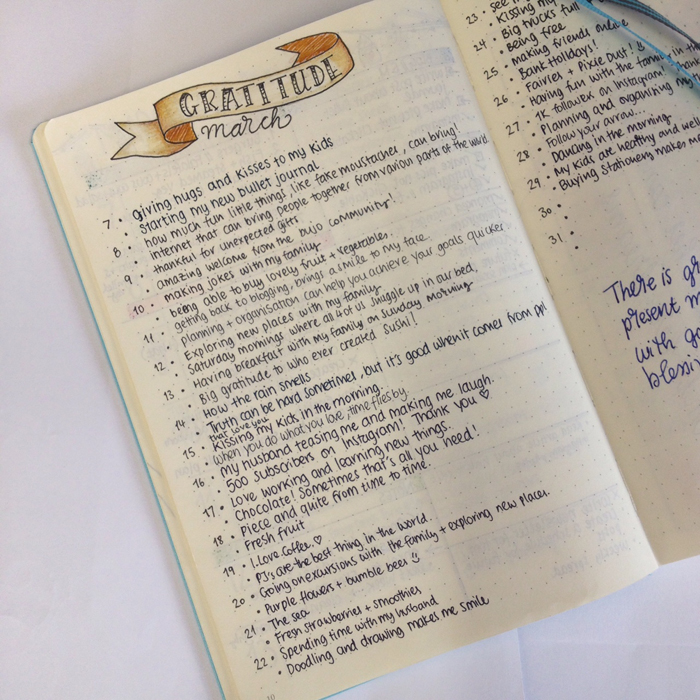
One of my most favourite pages in my bullet journal is my gratitude log. When I started writing it, I wasn't sure what to add to it every day. But pretty quickly I tuned into it and now I can't wait every night to think through of my day and add the two things that I'm most grateful of.
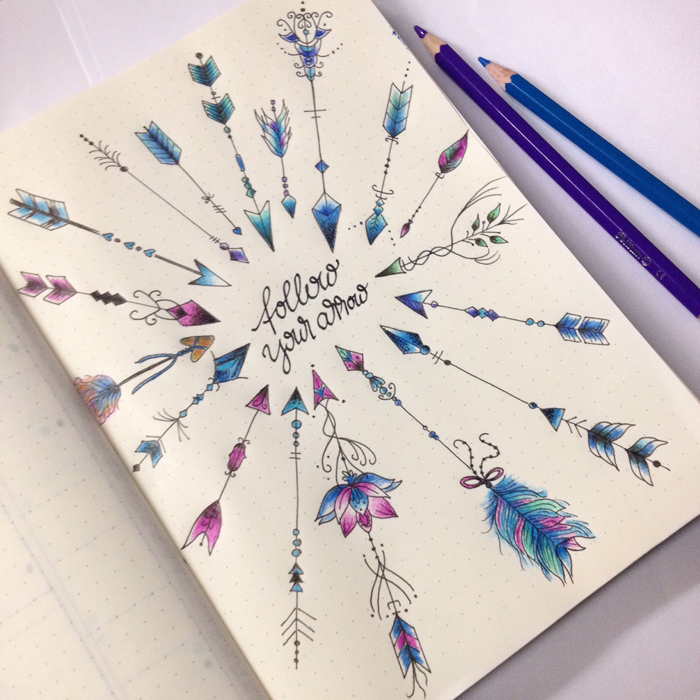
For my first month I also decided to create a doodle a day page, where I would draw something that reminds me of that day. It's been really fun and I love how colourful it looks.

I have been uploading lots of pictures with the progress of my bullet journal as I'm filling it in, so don't forget to check out my Instagram and Facebook accounts. You can also join my Newsletter!
THINGS THAT I'VE LEARNED
Even though I've been bullet journaling for only a month, some things became apparent to me straight away.
- Just Start
My bullet journal arrived a bit late in the post and the month had already started. So I was contemplating in the beginning whether to wait for the next month so that I start on the 1st, or not. I'm very happy that I started when I did and my advice to you is to just start! Don't wait. I promise you, you'll love it!
- Keep it Simple
When you first start bullet journaling, you might find yourself in the beginning being bombarded with various styles and ways of doing things. That can make you feel a bit overwhelmed and you might don't know where to start. Just keep things simple and start slowly. You don't have to add everything in your bullet journal straight away. There is no right order. What I did, was that I made a list of the things that I'd like to include in my bullet journal, and I've been adding them as I go along. The basic thing for me was to have a yearly, monthly, weekly and daily spread, so that I don't miss appointments and keep up with my everyday life. The rest can be added slowly.
- Trial and error
You just have to try and adjust the different methods available to suit your needs. That way you'll figure out what works for you and what doesn't. It's a simple case of trial and error. That's what has happened to me, especially with my weekly spreads. And if nothing works for you the way you want it, then create your own!
- Get Inspired
There is so much inspiration and creativity on line, it's unbelievable! You only have to do a search and you'll be amazed. By far, Instagram and Pinterest are the best places for BJ inspiration! The following IG accounts are some of my favourite: @boho.berry , @passion.themed.life, @maryj13, @tinyrayofsunshine, @therevisionguide, @write_it_on_the_wall, @wundertastischdesign ... and the list goes on!
- Community
There is an amazing bullet journal community out there, ready to welcome you and help you along the way! If you're interested in bullet journaling then you should totally check out the Bullet Journal Junkies group on Facebook.

- It doesn't have to be perfect
Whether your lines are not straight or you've made a mistake while writing down your daily spread, just don't worry about it! It happens.
You either use Pentel Presto and erase it or just ignore it like I did!
- Have Fun! :)
Enjoy your time while bullet journaling!
This pretty much sums up my first month with my bullet journal. Can't wait to start setting up for April. ;)
Calendex - How to future plan with your Bullet Journal
When I was first introduced to bullet journaling, one of the things that concerned me the most was future planning. On a system that you create your days as you go along, I wanted to make sure that I wouldn't miss any future events or appointments. While searching online, I came across 4 different ways to future plan with your bullet journal:
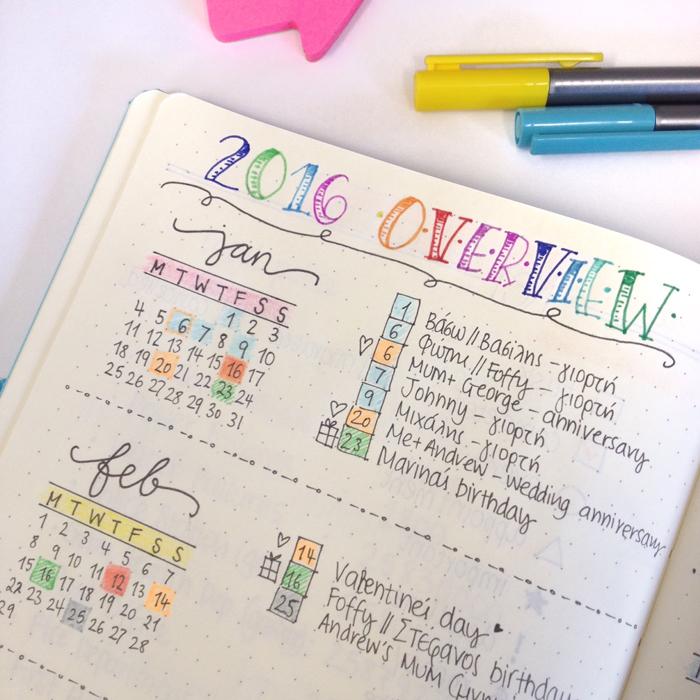
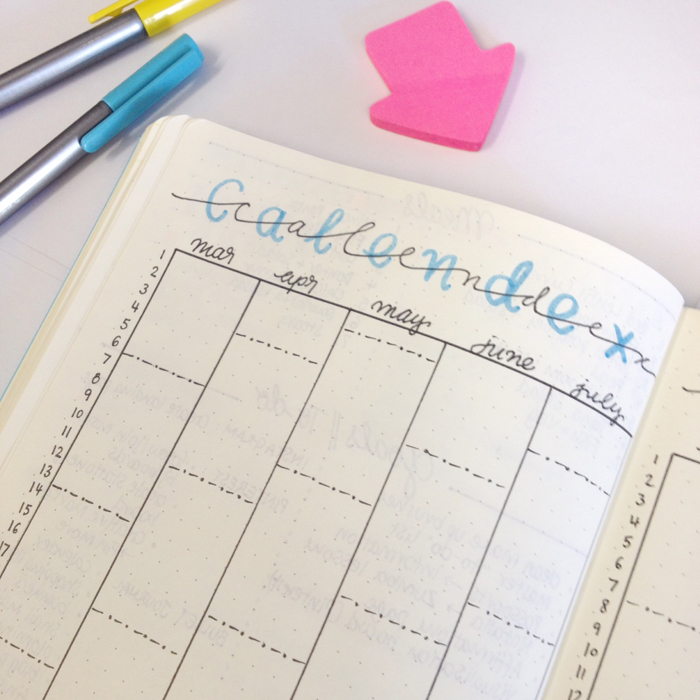
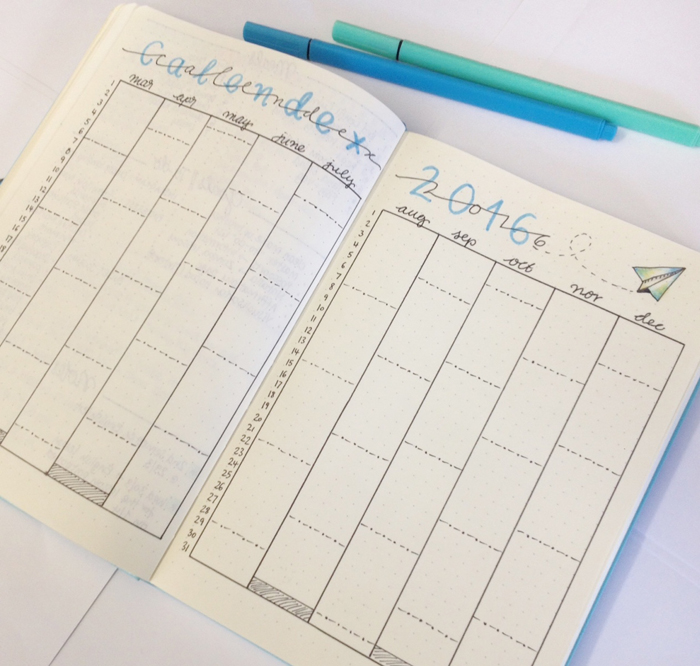
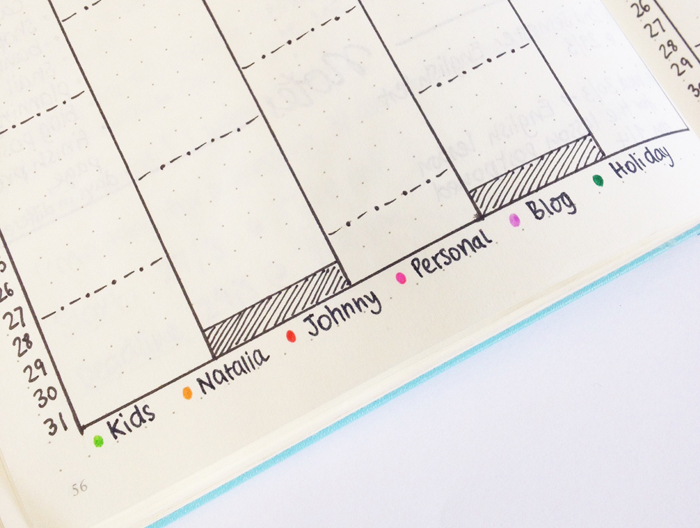
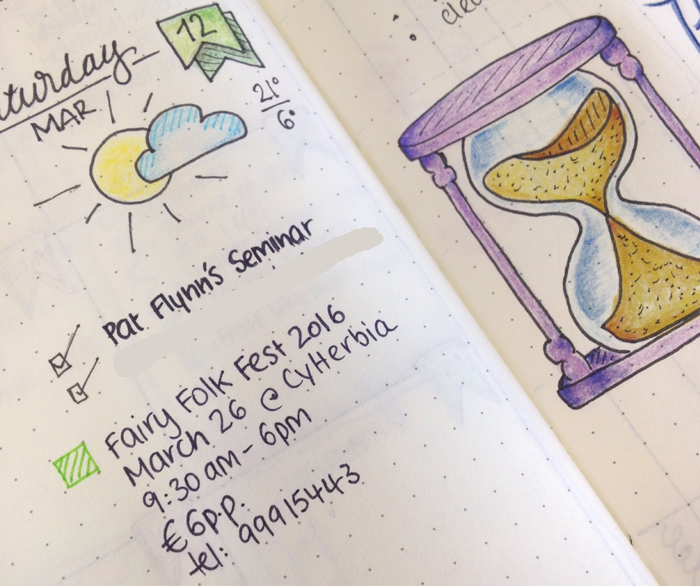
So, for example if I happen to have a future event, like the one I had for the Fairy Folk Fest, I will note it down on my daily spread and I will have a coloured box according to the type of event next to it. In this case it's light green because it was a kids' event.
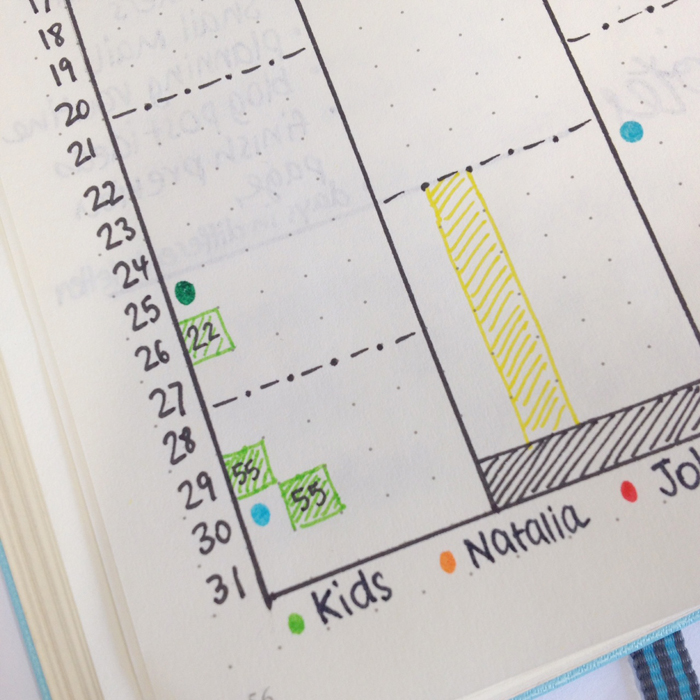
Then I will note down a light green box on the day of the event and on it I'll write the number of the page my daily spread was that I wrote all the information at (in this case, it was page 22).